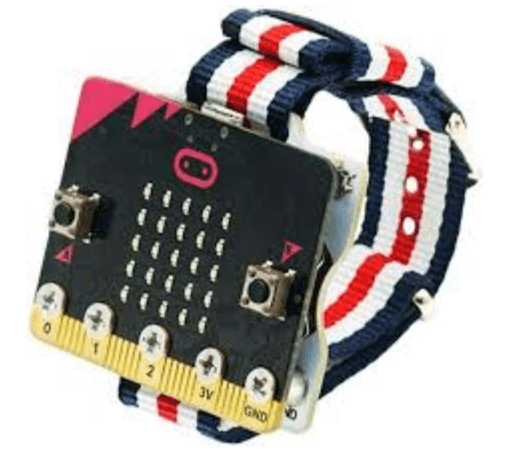
micro:bit Wearable Step Counter
This introductory lesson is a great way to begin exploring how computational tools collect, store, and display data. In this beginner activity, users gather data by counting the number of “shakes” detected by the micro:bit. In grades 6–12, students will build on this foundation by using the BBC micro:bit’s more advanced data logging tools to collect and analyze data.
Materials
-
BBC micro:bit Step Counter Lesson Plan
https://microbit.org/projects/make-it-code-it/step-counter/ -
Teacher Introduction Video
https://youtu.be/bSANf_njTSk -
Teacher Coding Guide video
https://youtu.be/PI0L19vbhtc -
Project Code
https://makecode.microbit.org/_00hfHvghPArg
Assessment Opportunities
- Can students explain how the variable “steps” stores and updates?
- Can students identify and fix issues (e.g. false positives, missed shakes), and document the steps they took to debug?
- Can students describe how this project could be adapted, scaled, or used in other real-world contexts?
- Can students explain how the variable “steps” stores and updates?
- Can students identify and fix issues (e.g. false positives, missed shakes), and document the steps they took to debug?
- Can students describe how this project could be adapted, scaled, or used in other real-world contexts?
- Can students explain how the variable “steps” stores and updates?
- Can students identify and fix issues (e.g. false positives, missed shakes), and document the steps they took to debug?
- Can students describe how this project could be adapted, scaled, or used in other real-world contexts?
Extension Opportunities
- Challenge students to Improve the code with one of these ideas:
- Modify the code so it shows your current step count when you press a button.
- If you find that the code only counts every other step, modify the code to multiply the ‘steps’ variable by two when it’s displayed.
- Measure the length of your average stride and get your micro:bit to multiply this by the number of steps to calculate the distance you’ve walked.
- Challenge students to Improve the code with one of these ideas:
- Modify the code so it shows your current step count when you press a button.
- If you find that the code only counts every other step, modify the code to multiply the ‘steps’ variable by two when it’s displayed.
- Measure the length of your average stride and get your micro:bit to multiply this by the number of steps to calculate the distance you’ve walked.
- Challenge students to Improve the code with one of these ideas:
- Modify the code so it shows your current step count when you press a button.
- If you find that the code only counts every other step, modify the code to multiply the ‘steps’ variable by two when it’s displayed.
- Measure the length of your average stride and get your micro:bit to multiply this by the number of steps to calculate the distance you’ve walked.