Make a micro:bit Shake Dice
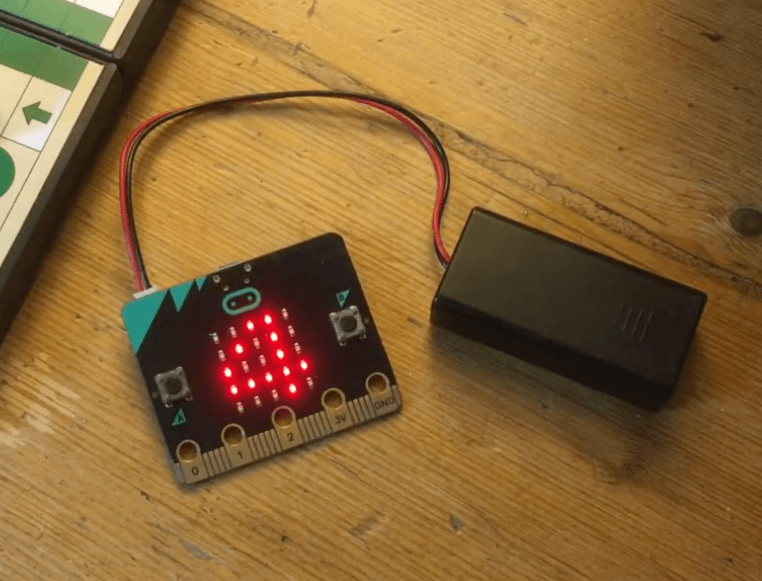
In this activity, students create a digital dice by programming the micro:bit to detect a shake gesture and respond by displaying a random number between 1 and 6 on the LED screen. The micro:bit uses its built-in accelerometer to detect the shake motion, which acts as the input that triggers the number generating program.
Materials
-
BBC micro:bit Dice Activity link
https://microbit.org/projects/make-it-code-it/dice/ -
micro:bit at home: dice introduction video
https://www.youtube.com/watch?v=D2VKfi2rvPU -
micro:bit at home: dice code video
https://youtu.be/FzfHJH903nU?si=0U6dc0j8EhAXitB5 -
micro:bit accelerometer
https://youtu.be/UT35ODxvmS0?si=sE0r67uSeKzcYGtJ -
Example MakeCode
https://makecode.microbit.org/#pub:_hUpi4RFKjJF7
Activity Instructions
- Introduce the Activity
- Have you ever rolled a dice and wondered if it’s truly random?
- Can a computer be random?
- Today, we are going to program a micro:bit to act as our own digital dice.
- Introduce the Concept
- A dice gives a random number from 1 to 6. How will we do that with the micro:bit
- Explain:
- Computers use a random function to simulate randomness
- The micro:bit will:
- Detect a shake using a built in sensor called the accelerometer.
- Generate a random number 1-6
- Display it
- Build the Code
- Model in MakeCode:
- Add the following blocks:
- on shake block
- Inside, add:
- show number
- Replace number with:
- pick random block (1 to 6)
- Walk students through creating the code or use the provided link to share the completed code with students.
- Test the Dice – Let’s roll your dice!
- Students download test their code on the micro:bit
- Shake micro:bit
- Observe numbers
- Discuss:
- Do the numbers seem random?
- What if you have the same number several times in a row? Is that possible? Why?
- Investigate Randomness
- Let’s test if it’s really random.
- Activity:
- Roll micro:bit dice 20–30 times
- Record results in a tally chart
- Compare results to real dice outcomes
- Discuss: Which number appeared most?
Were they evenly distributed?
- Discuss Findings
- Did your dice behave randomly?
- Why might some numbers appear more often?
- Is computer randomness perfect?
- Reflection – Discuss:
- What triggered your program?
- How did the micro:bit generate a number?
- What surprised you about the results?
- Introduce the Activity
- Have you ever rolled a dice and wondered if it’s truly random?
- Can a computer be random?
- Today, we are going to program a micro:bit to act as our own digital dice.
- Introduce the Concept
- A dice gives a random number from 1 to 6. How will we do that with the micro:bit
- Explain:
- Computers use a random function to simulate randomness
- The micro:bit will:
- Detect a shake using a built in sensor called the accelerometer.
- Generate a random number 1-6
- Display it
- Build the Code
- Model in MakeCode:
- Add the following blocks:
- on shake block
- Inside, add:
- show number
- Replace number with:
- pick random block (1 to 6)
- Walk students through creating the code or use the provided link to share the completed code with students.
- Test the Dice – Let’s roll your dice!
- Students download test their code on the micro:bit
- Shake micro:bit
- Observe numbers
- Discuss:
- Do the numbers seem random?
- What if you have the same number several times in a row? Is that possible? Why?
- Investigate Randomness
- Let’s test if it’s really random.
- Activity:
- Roll micro:bit dice 20–30 times
- Record results in a tally chart
- Compare results to real dice outcomes
- Discuss: Which number appeared most?
Were they evenly distributed?
- Discuss: Which number appeared most?
- Discuss:
- Discuss Findings
- Did your dice behave randomly?
- Why might some numbers appear more often?
- Is computer randomness perfect?
- Reflection – Discuss:
- What triggered your program?
- How did the micro:bit generate a number?
- What surprised you about the results?
- Introduce the Activity
- Have you ever rolled a dice and wondered if it’s truly random?
- Can a computer be random?
- Today, we are going to program a micro:bit to act as our own digital dice.
- Introduce the Concept
- A dice gives a random number from 1 to 6. How will we do that with the micro:bit
- Explain:
- Computers use a random function to simulate randomness
- The micro:bit will:
- Detect a shake using a built in sensor called the accelerometer.
- Generate a random number 1-6
- Display it
- Build the Code
- Model in MakeCode:
- Add the following blocks:
- on shake block
- Inside, add:
- show number
- Replace number with:
- pick random block (1 to 6)
- Walk students through creating the code or use the provided link to share the completed code with students.
- Test the Dice – Let’s roll your dice!
- Students download test their code on the micro:bit
- Shake micro:bit
- Observe numbers
- Discuss:
- Do the numbers seem random?
- What if you have the same number several times in a row? Is that possible? Why?
- Investigate Randomness
- Let’s test if it’s really random.
- Activity:
- Roll micro:bit dice 20–30 times
- Record results in a tally chart
- Compare results to real dice outcomes
- Discuss: Which number appeared most?
Were they evenly distributed?
- Discuss: Which number appeared most?
- Discuss:
- Discuss Findings
- Did your dice behave randomly?
- Why might some numbers appear more often?
- Is computer randomness perfect?
- Reflection – Discuss:
- What triggered your program?
- How did the micro:bit generate a number?
- What surprised you about the results?
Extension Opportunities
Students can:
- Create two-dice simulation (2–12 total)
- Display dot patterns instead of numbers
- Add sound effects when rolling
- Design a game using their dice
- Investigate probability of sums (2–12)
Students can:
- Create two-dice simulation (2–12 total)
- Display dot patterns instead of numbers
- Add sound effects when rolling
- Design a game using their dice
- Investigate probability of sums (2–12)
Students can:
- Create two-dice simulation (2–12 total)
- Display dot patterns instead of numbers
- Add sound effects when rolling
- Design a game using their dice
- Investigate probability of sums (2–12)